Microsoft Copilot is the most recognizable name in enterprise AI. Every Fortune 500 company has heard the pitch. Most have tried it. Few have deployed agents that actually work in production. Gartner reports that by 2026, less than 5% of enterprise AI pilots transition to production deployments that handle critical business processes without human intervention.
Meanwhile, Shogo launched in 2024 and already powers AI agents across 30+ countries, handling real business processes end-to-end, not just chatbot wrappers around Microsoft 365.
This comparison breaks down exactly where the two platforms differ: autonomous AI agent capabilities, deployment speed, pricing, integration depth, and the specific use cases where each one wins.
Bottom line: Copilot is the right platform when your AI needs are limited to helping individual employees write better emails. Shogo is the right platform when you need AI agents that handle entire business processes autonomously, across any app, without a six-month implementation project.
Quick Comparison: Shogo vs Microsoft Copilot at a Glance
| Shogo | Microsoft Copilot | |
|---|---|---|
| What it is | Autonomous AI agents platform | AI assistant integrated into Microsoft 365 |
| How it works | Describe outcomes; agents reason and execute | Suggests text, summarizes, follows simple rules |
| Deployment speed | Live in 48 hours | 3 to 6 months typical |
| AI capabilities | Reasoning, knowledge base, learning, MCP | Text generation, summarization, basic workflows |
| Best for | End-to-end business process automation | Employee productivity within Microsoft apps |
| Learning curve | Days, not months | Months of IT setup |
| Pricing model | From $8/month; $15K for dedicated AI Employees | Per-seat + metered messages, $5K/month minimum |
The Core Difference: AI Assistant vs. Autonomous AI Agent
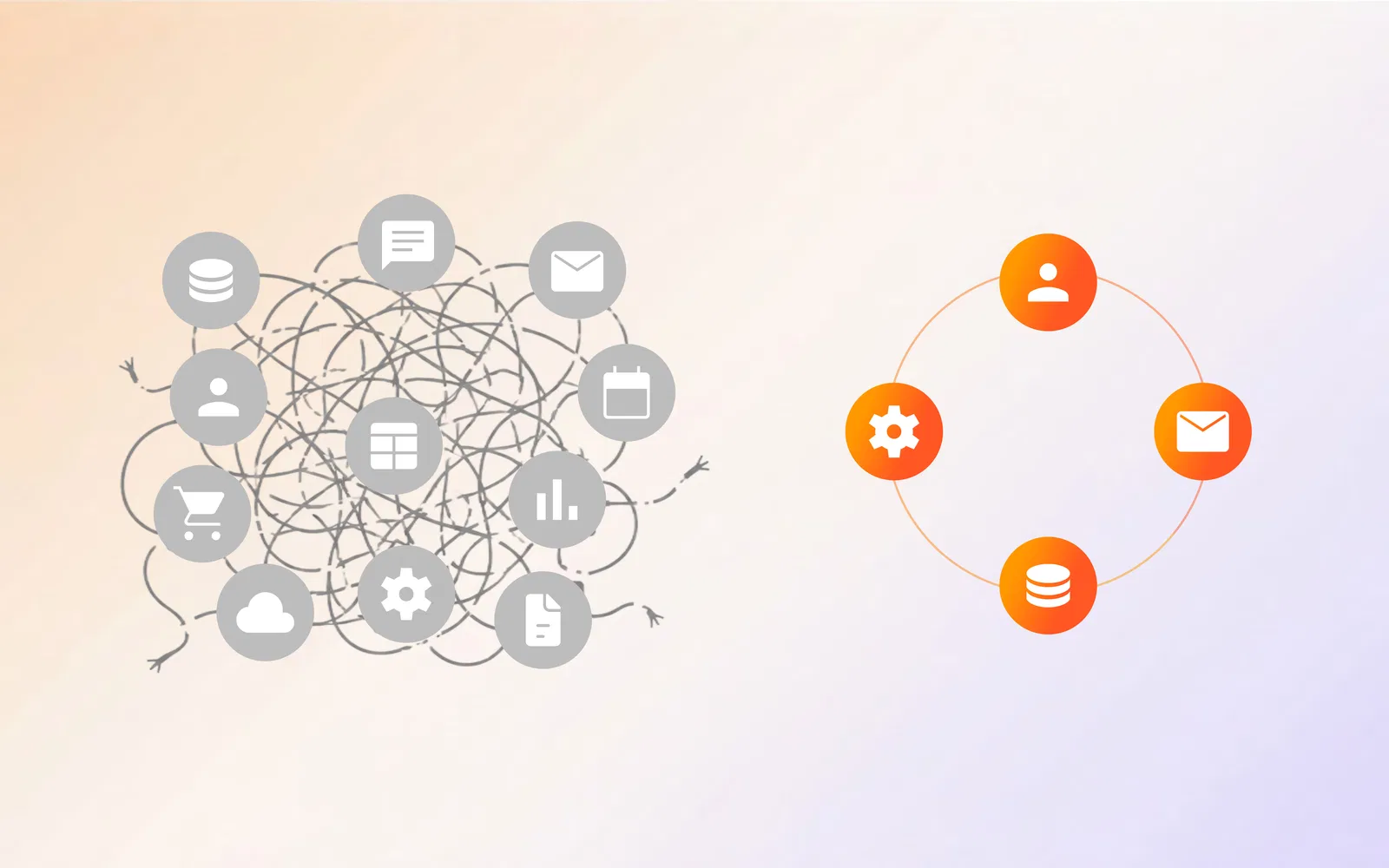
Microsoft Copilot is an AI assistant. It lives inside Word, Excel, Outlook, Teams, and PowerPoint. It helps individual employees draft documents, summarize emails, and generate spreadsheets. It does not handle business processes end-to-end. It does not learn from interactions. It does not take autonomous action based on context.
Shogo is an AI agent platform. Instead of assisting one person with one task, Shogo agents handle entire business processes: reading incoming data, reasoning through decisions, retrieving from knowledge bases, executing multi-step workflows across multiple apps, and learning from every interaction.
| Capability | Shogo | Microsoft Copilot |
|---|---|---|
| Understands natural language | Full reasoning | Basic prompts |
| Reads and interprets documents | RAG-based knowledge layer | Limited to uploaded context |
| Makes context-aware decisions | Native | Rules-based only |
| Learns from interactions | Continuous learning | No learning |
| Handles edge cases autonomously | Yes | Escalates to humans |
| Multi-step workflow execution | Native | Requires Copilot Studio |
| Cross-app orchestration | Any API or MCP server | Microsoft ecosystem only |
What “AI Agent” Actually Means Here
The term “AI agent” gets thrown around loosely. Here is what it means in practice.
Copilot’s “agents” built in Copilot Studio are essentially Power Automate flows with an LLM layer. They follow pre-built logic: when an event happens, check a condition, take an action. The LLM helps with natural language understanding, but the workflow itself is deterministic. You write the rules. The agent follows them.
Shogo’s agents are genuinely autonomous. You describe what you want to happen in plain English. The agent figures out the steps, retrieves context from your knowledge base, reasons through edge cases, and executes across any connected system. When something unexpected happens, it adapts instead of failing.
Example: A customer emails saying they were charged twice and are thinking about canceling. A Copilot agent would need pre-built rules to detect “charged twice” and “cancel” as separate keywords, then route to different departments. Shogo’s agent reads the email, identifies the billing error, the churn risk, and the emotional tone simultaneously, pulls account history, checks for duplicate charges, drafts a refund response, and escalates to a retention specialist. One agent. No pre-written rules. No keyword matching.
Microsoft Copilot Studio: What You Get and What You Don’t
The Pricing Reality
Microsoft Copilot Studio charges $200 per concurrency seat, with a minimum of 25 seats, which creates a $5,000/month minimum. On top of that, every message costs between $0.005 and $0.01, with metered billing at $0.01 per message and $0.0025 per AI generation.
Copilot Studio pricing in plain numbers:
-
Minimum monthly commitment: $5,000, based on 25 seats at $200 each
-
Per-message costs stack on top of that
-
Each AI generation costs $0.0025 on top of the message fee
-
Microsoft’s own documentation acknowledges overages can exceed budget without warnings
Shogo pricing:
-
Free: $0/month. Daily usage to build and test on real workflows.
-
Basic: $8/month or $80/year. Unlimited usage, fast model, single user.
-
Pro: $20/seat/month or $200/seat/year. All AI models, about 12x the work per dollar vs Haiku-class pricing, optional overage with a hard cap you set.
-
Business: $40/seat/month or $400/seat/year. SSO, audit logs, team analytics, and per-member spending limits.
-
AI Employees: $15,000. Shogo’s team builds and customizes 2 dedicated AI Employees to your exact business use case. This is not a software subscription. It is a done-for-you deployment backed by experience building for 200+ global enterprises, with consulting on your specific requirements built in.
The math matters at scale. A mid-market company processing 100,000 customer interactions per month faces unpredictable metered billing on Copilot Studio. Shogo’s self-serve Pro and Business tiers have usage windows with no per-message charges, and the AI Employees option means Shogo’s team handles the build entirely.
Deployment Speed
Microsoft’s own documentation says Copilot Studio deployments typically take 3 to 6 months. That includes requirements gathering, IT configuration, Microsoft 365 admin setup, connector configuration, testing, and rollout.
Shogo deploys live in 48 hours. The onboarding process includes white-glove support, and agents start handling real interactions within the first week.
Data Source Limitations
Copilot Studio natively connects to Dataverse, SharePoint, OneDrive, Microsoft Graph, Azure AI Search, and Bing Web Index. For everything else, including Salesforce, Zendesk, Slack, and Google Workspace, you need Power Automate Premium connectors at additional cost.
Shogo connects to any system through MCP servers, native integrations, and webhooks. No premium connector fees. No ecosystem lock-in.
The Microsoft 365 Trap
Copilot Studio works best inside the Microsoft ecosystem. If your sales team uses Salesforce, your support team uses Zendesk, and your operations team uses Google Workspace, Copilot Studio’s value drops significantly. You are paying for a platform that only works well with the tools you already bought from the same vendor.
Shogo is ecosystem-agnostic. It reads from Google Docs, updates Salesforce, sends Slack messages, and triggers Zendesk workflows in a single autonomous agent. Your data lives where it lives. Shogo works with all of it.
Integration Breadth and Depth
Microsoft Copilot’s Connector Network
Copilot Studio offers 1,000+ connectors, but most require Power Automate Premium licenses at $40/user/month. The free tier is limited to basic Microsoft apps. Real enterprise integrations such as Salesforce, ServiceNow, and SAP require paid add-ons.
The hidden cost: a team of 50 people using Salesforce, Zendesk, and Slack integrations would pay an additional $2,000/month in Premium connector licenses on top of Copilot Studio fees.
Shogo’s Integration Architecture
Shogo uses MCP servers, native integrations, and webhooks. No per-connector fees.
Shogo’s integration advantages:
-
MCP connects to 17,000+ public servers
-
Native integrations with Salesforce, HubSpot, Zendesk, Intercom, Slack, Teams, Google Workspace, and Shopify
-
Custom API integrations via webhooks
-
Any data source: Google Docs, Notion, Confluence, databases, PDFs, and emails
The MCP Advantage
MCP, or Model Context Protocol, is the emerging industry standard for AI agent tool integration. Created by Anthropic and now governed by the Linux Foundation’s Agentic AI Foundation, MCP is backed by Anthropic, OpenAI, Google, Microsoft, and Cloudflare.
Shogo was built on MCP from day one. Microsoft Copilot treats MCP as an afterthought, added after the standard gained momentum.
Key difference: MCP gives Shogo access to the entire ecosystem of AI tool integrations. Copilot Studio is limited to its own connector marketplace, a subset of what MCP provides.
AI Reasoning and Decision-Making
How Copilot Handles Decisions
Copilot follows deterministic logic. When you build a workflow in Copilot Studio, you write the rules: if the customer says X, do Y. If the ticket priority is high, escalate to Z. The LLM layer helps understand natural language input, but the decision tree is pre-built by humans.
The problem: business processes are not deterministic. Customers do not follow scripts. Edge cases are the norm, not the exception. Every new edge case requires a human to update the workflow logic.
How Shogo Handles Decisions
Shogo agents reason through context. Instead of following pre-built rules, they understand the intent behind a request, pull relevant context from knowledge bases, and make decisions based on the full picture.
The result: when a customer sends something unexpected, Shogo’s agent adapts. It does not need a new rule. It does not escalate to a human. It reasons through the situation using the same knowledge and judgment a trained employee would use.
| Decision Type | Shogo | Copilot Studio |
|---|---|---|
| Simple routing | Yes | Yes |
| Multi-factor analysis | Native | Requires custom rules |
| Unanticipated scenarios | Adapts | Fails or escalates |
| Learning from resolution | Continuous | No learning |
| Cross-system context gathering | Automatic | Requires manual connectors |
Knowledge Base and Retrieval-Augmented Generation
Copilot’s Knowledge Layer
Copilot uses Microsoft Graph for organizational data and can search SharePoint, OneDrive, and Outlook. For external knowledge, you need to build custom connectors to Azure AI Search.
Limitations:
-
Knowledge is siloed within Microsoft apps
-
No native RAG across external data sources
-
Custom knowledge bases require Azure AI Search setup at additional cost
-
No learning from customer interactions to improve responses
Shogo’s RAG-Based Knowledge Layer
Shogo builds a knowledge base from your existing content: documents, PDFs, emails, support tickets, databases, and conversations. Every interaction makes the knowledge base smarter.
Shogo’s knowledge capabilities:
-
Ingests any document format, including PDF, Word, CSV, and JSON
-
Connects to Notion, Confluence, Google Drive, and SharePoint
-
Real-time retrieval with confidence scoring
-
Learns from resolved interactions
-
Cites sources in responses for verification
Security and Compliance
Both platforms take enterprise security seriously, but they approach it differently.
Microsoft Copilot security:
-
Data processed within Azure infrastructure
-
SOC 2, ISO 27001, HIPAA, and FedRAMP compliant
-
Data stays within your Microsoft 365 tenant
-
Role-based access control through Azure Active Directory
-
Content filtered through Microsoft’s responsible AI policies
Shogo security:
-
SOC 2 Type II certified
-
GDPR and CCPA compliant
-
AES-256 encryption at rest and in transit
-
Role-based access control
-
Full audit logs for every agent action
-
Private deployment options for regulated industries
-
No training on customer data
The key difference: Copilot’s security model is tied to your Microsoft 365 tenant configuration. Shogo’s security is platform-native and applies consistently across all your integrations, regardless of where the data originates.
Pricing Breakdown: The Real Numbers
Copilot Studio Costs
| Component | Cost |
|---|---|
| Base license | $200/concurrency seat/month, 25-seat minimum |
| Minimum monthly commitment | $5,000 |
| Per-message fee | $0.005 to $0.01 |
| AI generation fee | $0.0025 per generation |
| Premium connectors | $40/user/month each |
| Azure AI Search | Pay-as-you-go |
| Power Automate Premium | $40/user/month |
| Estimated annual cost for 100 users | $60,000 to $120,000+ |
Shogo Costs
| Tier | Cost | Best For |
|---|---|---|
| Free | $0/month | Try it on a real workflow |
| Basic | $8/month or $80/year | Single user replacing a SaaS tool |
| Pro | $20/seat/month or $200/seat/year | Teams, all AI models, about 12x work per dollar |
| Business | $40/seat/month or $400/seat/year | Teams needing SSO, audit logs, analytics |
| AI Employees | $15,000 | Done-for-you: Shogo’s team builds 2 fully customized AI Employees |
The AI Employees tier deserves a closer look. At $15,000, you are not buying software. You are getting Shogo’s team of experts, with experience across 200+ global enterprise deployments, to consult on your specific requirements, build the agents, customize them to your workflows, and hand them over production-ready. No DIY. No months of internal setup. You describe what you need, they build it.
Copilot’s metered billing, by contrast, means costs scale unpredictably with every message. There is no done-for-you option, and no consulting included.
Scalability and Volume Handling
Copilot at Scale
Copilot Studio’s per-message pricing means costs scale linearly with volume. Processing 1 million customer interactions per month costs significantly more than processing 10,000. There is no volume discount. There is no usage-window model. Every message costs money.
Shogo at Scale
Shogo’s Pro and Business tiers run on rolling usage windows, not per-message billing, so your costs stay predictable as volume grows. Optional overage kicks in only if you need it, and you set a hard cap so there are no surprise bills.
For enterprises that need agents deployed at serious scale without an internal build team, the AI Employees option is the more direct path. Shogo’s team has done this across 200+ global enterprises. They know what works, what breaks at scale, and how to build for your industry specifically.
Real-world impact: a company processing 500,000 customer interactions per month would pay between $25,000 and $50,000 per month in Copilot Studio message fees alone. On Shogo’s self-serve Business tier, that same volume stays within your per-seat window. On the AI Employees tier, Shogo handles the deployment and optimization end-to-end.
Where Copilot Wins
Fair comparison requires acknowledging where Copilot excels.
Individual Productivity
Copilot is excellent at helping individual employees write better emails, summarize long documents, generate spreadsheet formulas, and create presentations. For personal productivity within Microsoft 365, Copilot is genuinely useful.
Microsoft Ecosystem Integration
If your entire organization runs on Microsoft 365, Dynamics 365, and Azure, Copilot provides a seamless experience. The integration depth within the Microsoft ecosystem is unmatched.
Brand Recognition and Enterprise Trust
Microsoft’s compliance certifications, data residency guarantees, and enterprise agreements are valuable for regulated industries and publicly listed companies with specific vendor requirements.
Why Companies Switch to Shogo
The most common reasons organizations move from Copilot to Shogo:
- Copilot cannot handle complex workflows. Basic FAQ responses and email summarization are not enough. Companies need agents that resolve issues end-to-end.
- Per-message costs spiral. As usage grows, Copilot’s metered pricing becomes unpredictable. Shogo’s self-serve tiers use usage windows instead of per-message charges, and the AI Employees tier is a fixed cost with no surprises.
- Microsoft ecosystem lock-in is a liability. Companies using Salesforce, Zendesk, and Google Workspace find Copilot’s value limited.
- Deployment is too slow. Three to six months is too long when competitors are deploying AI agents in weeks.
Shogo’s Advantages at a Glance
Deployment Speed
48 hours vs. 3 to 6 months. For companies that need AI agents working this quarter, not next year, Shogo’s deployment speed is a decisive advantage.
Cost Predictability
Shogo’s self-serve tiers, from $8/month, use rolling usage windows instead of per-message billing, so costs stay predictable. The AI Employees tier removes the cost question entirely: you know exactly what you pay, Shogo’s team builds everything, and 200+ enterprise deployments worth of expertise comes with it.
Cross-App Orchestration
Shogo works across any app, any API, any data source. Copilot works best within Microsoft’s ecosystem. For organizations with diverse tool stacks, Shogo’s flexibility is essential.
Knowledge Base and RAG
Shogo’s RAG-based knowledge layer, built from day one with MCP, provides richer, more accurate context retrieval than Copilot’s Microsoft Graph-limited approach.
Multi-Agent Orchestration
Copilot’s Multi-Agent Approach
Microsoft released agent-to-agent handoff features in Copilot Studio in 2025, but it remains limited. Agents can pass conversations to other agents, but true parallel execution across multiple agents working on different parts of a task is not natively supported.
Shogo’s Multi-Agent Architecture
Shogo was built for multi-agent coordination from the start. Multiple agents can work in parallel on different components of a business process, share context through a unified knowledge layer, and hand off specific tasks without losing the full conversation context.
Shogo multi-agent use cases:
-
Customer support: triage agent, resolution agent, escalation agent, and follow-up agent all coordinating in real time
-
Sales pipeline: prospecting agent, research agent, outreach agent, and CRM update agent running in parallel
-
Finance: invoice agent, approval agent, reconciliation agent, and reporting agent working as a team
The Verdict: Which Platform Should You Choose?
Choose Copilot If:
-
Your AI needs are limited to helping individuals write better content
-
You are 100% committed to the Microsoft ecosystem
-
Budget is not a concern and you prefer the Microsoft brand
-
Your use cases are simple, such as FAQ responses and email summarization
-
You have 3 to 6 months before you need agents in production
Choose Shogo If:
-
You need AI agents that handle entire business processes autonomously
-
You need agents live this week, not next quarter
-
You want predictable pricing: self-serve from $8/month, or $15K for Shogo’s team to build 2 AI Employees to your exact spec
-
You use a mix of tools, such as Salesforce, Zendesk, Slack, and Google Workspace
-
You need agents that learn and improve from every interaction
-
You want 200+ global enterprise deployments worth of consulting expertise, not a DIY software subscription
-
You want multi-agent orchestration without engineering work
The bottom line: Microsoft Copilot is a useful AI assistant that helps individuals work faster. Shogo is an autonomous AI agent platform that handles your business processes end-to-end. They solve different problems. If you need an assistant, Copilot works. If you need an agent that actually works, Shogo is the platform built for that.
Frequently Asked Questions
Is Shogo compatible with Microsoft 365?
Yes. Shogo connects to Microsoft 365, Outlook, Teams, and SharePoint through native integrations and MCP servers. You do not need to choose between Shogo and Microsoft. Shogo works alongside your existing Microsoft tools while extending your automation to any other system in your stack.
How does Shogo’s pricing compare to Copilot Studio?
Copilot Studio charges $200 per concurrency seat, with a 25-seat minimum that creates a $5,000/month minimum, plus per-message fees on top. Shogo’s self-serve plans start at $8/month for Basic and $20/seat/month for Pro, with no per-message charges. For enterprises that want a done-for-you deployment, the AI Employees tier at $15,000 gets you 2 fully customized AI Employees built by Shogo’s team, drawing on their experience across 200+ global enterprises. The consulting is included. The build is included. No metered surprises.
Can Shogo replace Copilot Studio entirely?
Yes. Shogo handles everything Copilot Studio does, plus autonomous agent capabilities that Copilot Studio does not offer: reasoning through complex workflows, learning from interactions, and orchestrating across any app or API.
How long does it take to deploy Shogo?
Shogo deploys live in 48 hours. Full production deployment takes approximately 2 weeks. Copilot Studio deployments typically take 3 to 6 months.
What about security and compliance?
Shogo provides SOC 2 Type II certification, GDPR readiness, and enterprise-grade security with AES-256 encryption. Your data stays under your control, with full audit trails for every agent action. Shogo does not use your organizational data for model training.
Sources
- Microsoft. “Microsoft Copilot Studio Pricing.” Microsoft Learn, 2026.
- Gartner. “AI Agent Deployment in Enterprise: 2026 Predictions.” Gartner Research, 2026.
- Forrester. “The Total Cost of Ownership for AI Agent Platforms.” Forrester Research, 2026.
- IDC. “Worldwide AI Agent Platform Market Forecast, 2024-2028.” IDC, 2025.
- McKinsey. “The State of AI in 2026: Scaling Autonomous Agents.” McKinsey Global Institute, 2026.
- Deepak Gupta. “MCP Server Ecosystem Growth Report.” 2026.
- Anthropic. “Model Context Protocol: Open Standard for AI Tool Integration.” 2025.
- The Linux Foundation. “Agentic AI Foundation: MCP Governance.” 2026.
- Shogo. “Shogo Pricing and Platform Overview.” 2026.
- CIO Magazine. “Enterprise AI Agent Platform Comparison 2026.” 2026.
Written by the Shogo Editorial Team — enterprise AI practitioners and automation strategists helping companies deploy agents that do real work. Questions? editorial@shogo.ai
Ready to see Shogo in action? Start your free trial or book a demo.