It Starts the Same Way Every Time
The pipeline is full. Deals are closing faster than the team can onboard them. Hiring is behind because HR is overwhelmed. Finance is chasing invoices manually. Customer success is running on coffee and shared spreadsheets. And leadership? They’re ping-ponging between a hiring decision at 9am, a customer escalation at 11am, and a board prep at 3pm.
This is what aggressive growth actually feels like from the inside. Not the LinkedIn version, the real version. Everyone is heads-down, everyone is stretched, and the answer to every bottleneck is “we need more people.”
So the company does what any rational team does: it looks for tools. And that’s where the trap begins.
Why the “Tools First” Reflex Backfires
The instinct is correct. You’re growing, you need leverage. Technology is leverage. So someone pulls together a shortlist of platforms, demos start rolling in, and within a few months you’ve signed contracts for a CRM, a project management tool, a finance automation suite, a customer support platform, and a handful of integrations to stitch them together.
For about six weeks, things feel better. Then the cracks appear.
The CRM requires three people to maintain data hygiene. The project management tool has become a second job for team leads. The finance suite has a quirk where it can’t match purchase orders against invoices without a custom field that takes a consultant to configure. And the integrations? They break. A lot.
“The average company now runs 130 SaaS applications,” according to Okta’s Business at Work report. Many employees interact with fewer than 30 of them regularly. The rest are overhead.
Suddenly, you haven’t automated the work. You’ve just added a new category of work: managing the tools that were supposed to eliminate work.
The Software Burden Gets Heavier as You Scale
Legacy SaaS platforms are built around the assumption that humans will always be in the loop. They’re designed for manual review, manual approval, manual data entry. The automation is mostly alert-and-notify, not act-and-complete.
So as you grow, the volume of work going into these systems grows proportionally. You don’t get leverage. You get a bigger tool with a bigger team behind it.
A company going from 50 to 200 people doesn’t need four times the SaaS budget. But that’s often what happens. Each new department brings its preferred tool. Each tool needs admin access, training, and a process around it.
Integration Hell Is Real, and It Gets Worse
Every platform wants to be the source of truth. None of them agree on data formats. Zapier and Make can handle simple if-this-then-that logic, but the moment you need conditional branching, error handling, or a workflow that spans more than three systems, you’re writing custom code or hiring a specialist.
And then the platform updates. One API change upstream breaks three workflows downstream. You find out when a customer complains, not when the system alerts you.
The Scaling Cliff
There’s a specific moment most growth-stage companies hit, usually somewhere between 150 and 400 employees, where the accumulated weight of their tooling becomes genuinely obstructive.
The CEO is making decisions based on data that lives in five different systems. Sales ops is spending 40% of their time reconciling CRM data. The root cause: the company built on infrastructure designed for a different era.
There’s a Better Starting Point
What if you skipped that journey entirely?
Companies starting their growth infrastructure today have an option that didn’t exist three years ago: agentic AI.
Instead of buying platforms that need people to run them, you deploy agents that run the work themselves. Actual agents that receive a task, decide how to execute it, use tools to complete it, and report back.
How Agentic Infrastructure Actually Works
An agentic setup isn’t a single AI tool. It’s a network of specialized agents, each responsible for a domain, communicating with each other to get compound tasks done.
Your invoice processing agent pulls invoices from email, matches them against POs in your ERP, flags discrepancies, and routes approvals. Your compliance agent monitors regulatory feeds and assigns review tasks. Your customer onboarding agent triggers the welcome sequence, provisions accounts, and alerts the CSM when engagement drops.
Agents Communicate. That’s What Makes Them Scale.
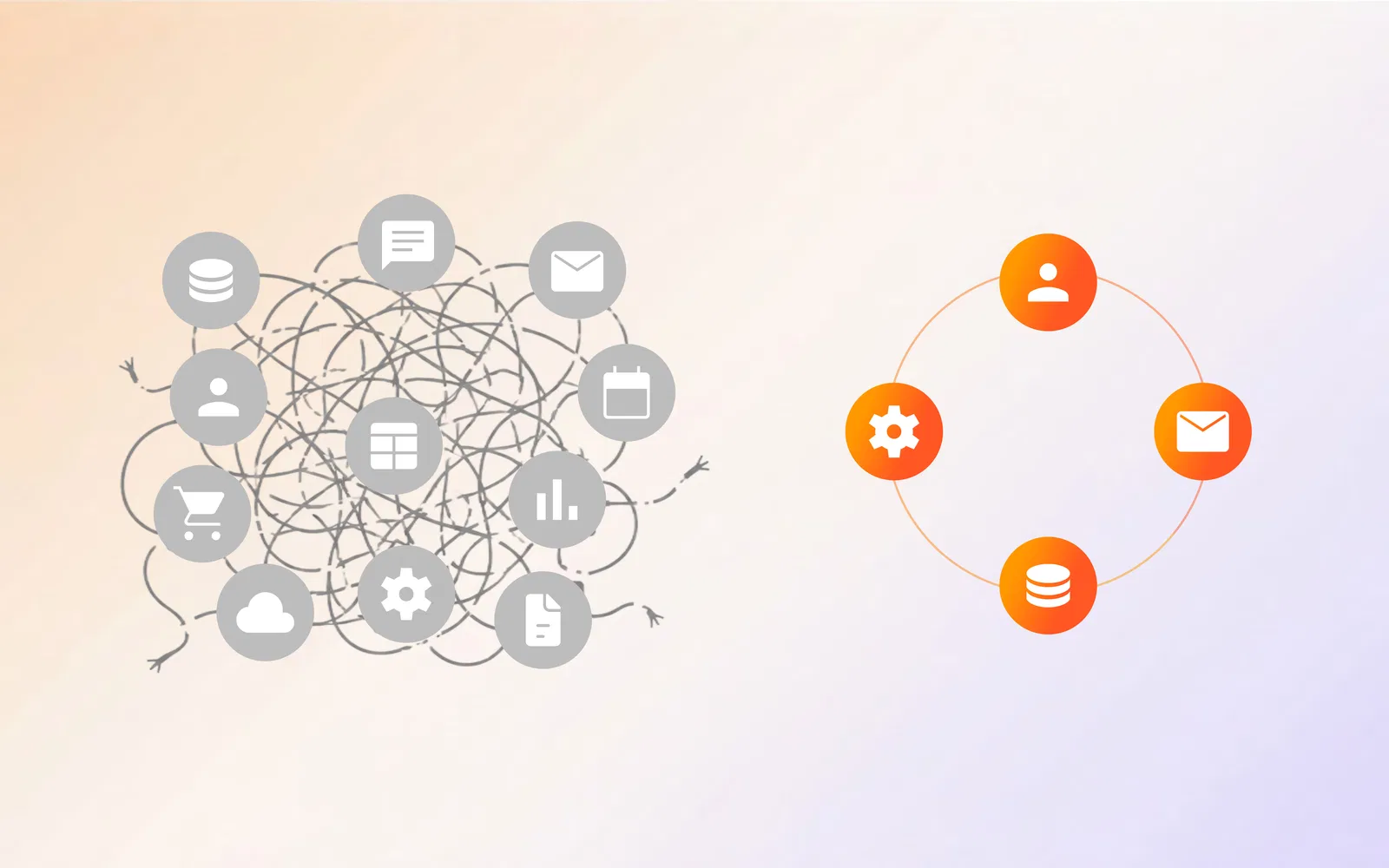
The reason legacy tools don’t scale isn’t the tools themselves. It’s the gaps between them. In a multi-agent setup, that integration layer is built in. Agents pass context to each other. When something changes upstream, the downstream agents know immediately and adjust.
This is horizontal scaling: more work doesn’t mean more people. Add more agent instances, and throughput increases linearly.
The LLM Cost Problem and How Shogo Solves It
Not all AI models are appropriate for all tasks, and using frontier models for everything is expensive and unnecessary.
Getting this balance right is where most AI deployments leave serious money on the table. According to McKinsey, companies that optimize their AI infrastructure spend see 30-45% lower total cost of ownership.
Shogo Professional Services: Getting It Right From the Start
Shogo’s $15,000 AI Employees package deploys two production-grade agents built to your exact workflows, plus dedicated consultation on LLM cost optimization.
The team brings experience from 200+ global enterprise deployments across finance, manufacturing, healthcare, logistics, and professional services. The LLM cost optimization consultation covers:
-
Task classification: mapping each workflow step to the appropriate model tier
-
Routing logic: decision trees that send tasks to the right model based on complexity
-
Caching strategies: identifying which outputs can be reused
-
Batching patterns: grouping similar tasks to reduce per-call overhead
-
Fallback design: what happens when a model is rate-limited
The Shogo Platform
| Plan | Price | Best For |
|---|---|---|
| Free | $0/month | Testing agents on a real workflow |
| Basic | $8/month | Single user replacing a SaaS subscription |
| Pro | $20/seat/month | Small teams running multi-agent workflows |
| Business | $40/seat/month | Teams needing SSO, audit logs, enterprise controls |
| AI Employees | $15,000 | 2 production agents built by Shogo’s team |
All paid plans run on unlimited usage within fair-use rolling windows. No credit pools. No per-message billing.
Agentic AI vs. Traditional Workflow Automation
| Capability | Zapier / Make | Agentic AI |
|---|---|---|
| Handles structured, predictable steps | Yes | Yes |
| Handles ambiguous or variable inputs | No | Yes |
| Reasons about context | No | Yes |
| Escalates when uncertain | No; fails silently | Yes |
| Improves with experience | No | Yes |
How to Start Without Ripping Everything Out
You don’t have to throw away what’s working. The Shogo agents connect to existing systems: Salesforce, HubSpot, Slack, Jira, QuickBooks, NetSuite, and more.
Start with one workflow that currently eats the most human hours. Build an agent for it. Measure the time reclaimed. Expand from there.
What Your Team Actually Gets Back
When agentic infrastructure takes over the manual, repetitive work, people get their jobs back.
The finance analyst who spent Monday mornings reconciling invoices now spends Monday mornings analyzing trends. The ops manager who owned the Zapier stack now owns process design and improvement. The customer success manager who manually logged notes now spends that time on calls that prevent churn.
Making the Case Internally
The risk of waiting: every month you add legacy tooling, the switching cost increases.
The ROI framing: identify two or three workflows currently consuming significant manual hours. Calculate the loaded cost of that labor. Compare it to Shogo’s pricing. The payback period is usually under six months.
The scale argument: as the business doubles, agentic infrastructure handles the volume without proportional headcount growth.
Frequently Asked Questions
Do I need a technical team to implement agentic AI infrastructure?
Not with Shogo. The AI Employees package includes the full build by Shogo’s team. For self-serve plans, no-code configuration is available.
How does Shogo’s LLM cost optimization work?
Shogo’s team maps every workflow task to the appropriate model tier. Routine tasks run on lightweight models. Complex tasks use frontier models. The routing is built into the agent architecture.
What’s included in the $15,000 AI Employees package?
Two production-grade agents built and customized to your workflows. Includes discovery, architecture design, LLM cost optimization consultation, build, testing, deployment, and knowledge transfer. Expertise from 200+ global enterprise deployments.
What happens to the software if we cancel?
The software your agents build is yours. Cancel anytime. No vendor lock-in.
Sources
- Okta. Business at Work Report. Okta, 2024.
- McKinsey & Company. The State of AI in 2024. McKinsey Global Institute, 2024.
- Gartner. Top Strategic Technology Trends for 2025. Gartner Research, 2024.
- Productiv. SaaS Management Index. Productiv Research, 2023.
- Forrester Research. The Total Economic Impact of AI-Driven Workflow Automation. Forrester, 2024.
- IDC. AI Spending Guide. IDC, 2024.
- Deloitte. State of AI in the Enterprise. Deloitte Insights, 2024.
- Harvard Business Review. Why Digital Transformations Fail. HBR, 2023.
- Stanford HAI. Artificial Intelligence Index Report 2024. Stanford University, 2024.
- World Economic Forum. Future of Jobs Report 2025. WEF, 2025.
Written by the Shogo Editorial Team. Contact us at editorial@shogo.ai.
Ready to skip the SaaS trap? Start free or talk to the team about AI Employees.