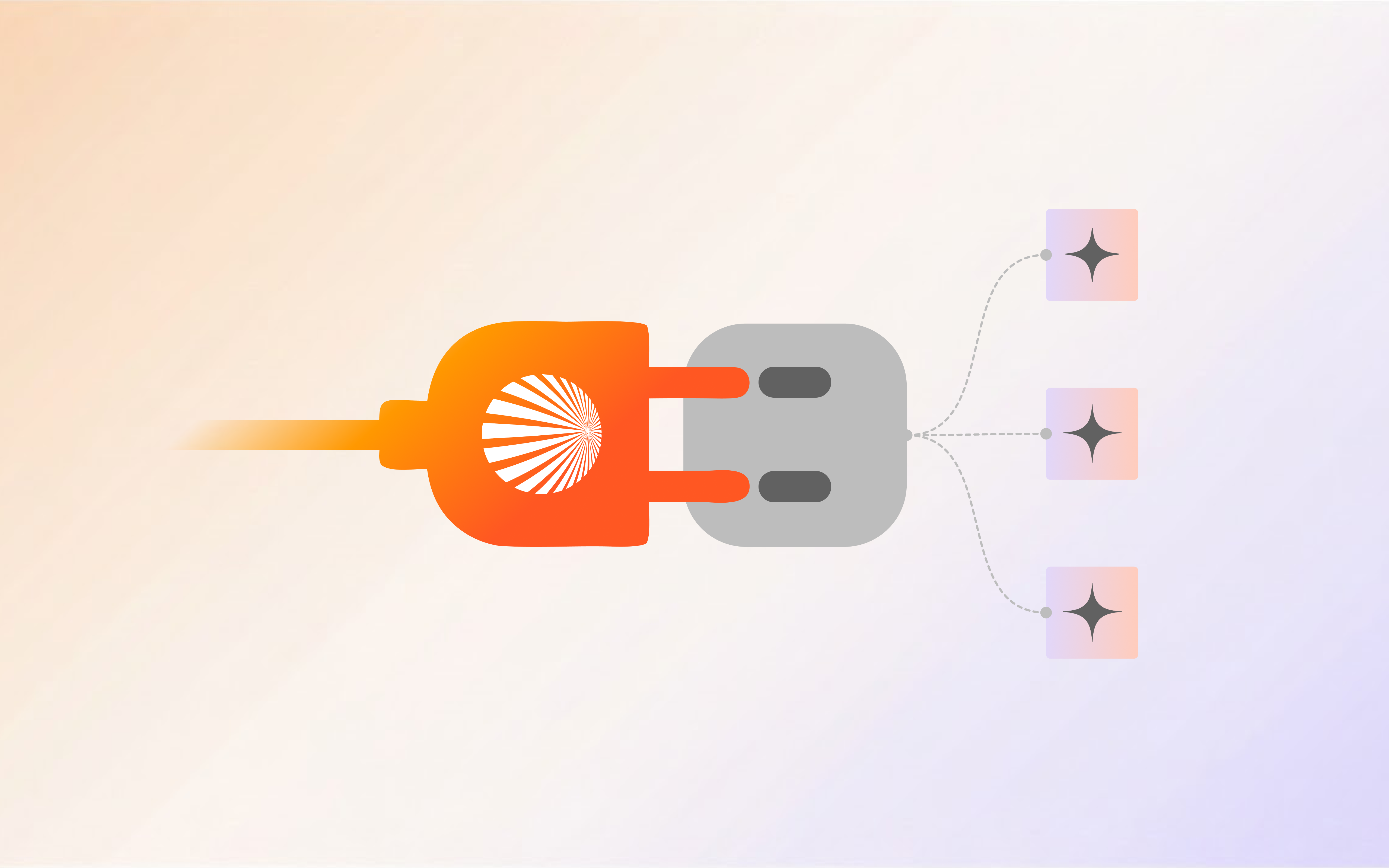

MCP stands for Model Context Protocol. Anthropic released it as an open standard in late 2024, and in 2026 it’s quietly become one of the most important infrastructure decisions in the AI agent space.
If you’ve heard the term but aren’t sure what it means — or if you’re evaluating AI tools and wondering why some mention MCP and others don’t — this is the plain-English explanation.
The problem MCP solves
Before MCP, connecting an AI model to an external tool was bespoke every time.
Want your AI to read from a GitHub repo? Write a GitHub integration. Want it to query a PostgreSQL database? Write a Postgres connector. Want it to search the web? Write a search integration. Each connection was custom code, often fragile, always requiring maintenance when APIs changed.
This created a compounding problem: AI systems were only as capable as their integrations, and integrations were expensive to build and keep working. Every new tool you wanted the AI to access was another custom project.
MCP solves this by defining a standard protocol for how AI models communicate with external tools. Instead of each integration being bespoke, any tool that implements the MCP server spec can be used by any AI that speaks the MCP client protocol.
It’s the same idea as USB — before USB, every peripheral had its own connector. After USB, any device with a USB port works with any peripheral with a USB plug. MCP is USB for AI tools.
How MCP works (technically, but briefly)
MCP is a client-server protocol built on JSON-RPC 2.0. The key components:
MCP Server: A process that exposes tools, resources, and prompts to AI clients. A GitHub MCP server, for example, exposes tools like github_list_prs, github_create_issue, github_get_commit, etc. The server handles authentication and API calls — the AI just calls the tools.
MCP Client: The AI host application that connects to MCP servers and uses the tools they expose. Claude, Cursor, Shogo, and many other AI systems now have MCP client implementations.
Transport layer: MCP supports two communication modes:
-
stdio — the client spawns the server as a subprocess and communicates via standard input/output. Best for local development.
-
HTTP with Server-Sent Events (SSE) — the server runs as a network service and the client connects over HTTP. Best for remote, cloud-hosted servers.
The three primitives MCP exposes:
- Tools — functions the AI can call (e.g.,
github_create_issue,postgres_query,send_slack_message) - Resources — data the AI can read (e.g., file contents, database rows, API responses)
- Prompts — pre-built prompt templates the server can expose to the client
What makes MCP different from function calling
You might know about OpenAI’s function calling — a feature that lets LLMs call predefined functions with structured arguments. MCP builds on a similar idea but with key differences:
Function calling is model-specific and requires the integrations to be defined in the same system as the model. Each provider (OpenAI, Anthropic, Google) has their own implementation with slightly different specs.
MCP is model-agnostic and deployment-agnostic. An MCP server built for Claude works with any other MCP-compatible client — including open-source local models. The server and client don’t have to be from the same company.
Function calling tools are typically defined inline in the prompt context. MCP tools are discovered dynamically at runtime — the client asks the server “what tools do you have?” and gets a live list. This means servers can update their tool offerings without requiring changes to the client.
In practice: MCP lets a tool like GitHub be built once as an MCP server, and then used by Claude, Cursor, Shogo, and any other AI client — without each one writing their own GitHub integration.
The current MCP ecosystem
As of early 2026, the MCP ecosystem has grown significantly from its November 2024 launch. Notable MCP servers now available:
Official servers (from Anthropic’s repo):
-
Filesystem — read and write local files
-
GitHub — repositories, PRs, issues, commits
-
PostgreSQL — SQL queries, schema inspection
-
Brave Search — web search
-
Fetch — clean web page retrieval
-
Slack — messages, channels, users
-
Google Drive — file listing and reading
-
Google Maps — location and direction data
-
Sentry — error tracking and issue data
Community servers:
-
Linear — issue tracking
-
Notion — page and database access
-
Stripe — payment data and operations
-
Jira — project management
-
And hundreds more across the ecosystem
AI clients with MCP support:
-
Claude Desktop (Anthropic’s native client)
-
Cursor (AI code editor)
-
Shogo (AI agent platform)
-
Zed (code editor)
-
Continue (open-source IDE plugin)
-
And a growing list of third-party tools
Why Shogo uses MCP
Shogo uses MCP as the core integration layer for many of its tool connections. When your Shogo agent accesses GitHub, queries a PostgreSQL database, or fetches web content, it’s typically calling an MCP server.
This matters for several reasons:
Reliability: MCP servers are well-maintained because they serve the entire ecosystem, not just Shogo. When Anthropic updates the GitHub MCP server, every MCP-compatible client benefits.
Coverage: New MCP servers launch constantly. When a new tool releases an MCP server, Shogo agents can use it without Shogo needing to write a custom integration.
Transparency: MCP tool calls are logged and inspectable. You can see exactly which tools your agent called, with what arguments, and what came back — making debugging straightforward.
Self-hosting: Because MCP servers are independent processes, you can run them locally with your own credentials and have Shogo agents connect to them. This is how enterprises connect Shogo to internal tools without sending data through Shogo’s servers.
MCP for non-developers: what it means practically
If you’re not a developer, here’s what MCP means for you as a Shogo user:
More integrations, less waiting. As more tools release MCP servers, they become available in Shogo without any work on our end. The ecosystem does the integration work.
Better reliability. Tool connections using MCP are more stable than custom integrations because the protocol handles edge cases consistently.
Private data stays private. Self-hosted MCP servers mean your database credentials and private data can stay in your infrastructure. The AI calls the tool; the tool handles the actual data access.
Custom tools you build yourself. If you have an internal tool that isn’t covered by the public MCP ecosystem, your team can build an MCP server for it. Once built, all Shogo agents can use it.
How to think about MCP vs Composio vs native integrations
Shogo uses a combination of integration methods, and understanding when each applies helps you evaluate capabilities:
MCP integrations (GitHub, PostgreSQL, Stripe, Brave Search, Playwright, Sentry, etc.): Deep, direct tool access via the MCP protocol. Best for complex operations where the AI needs fine-grained tool control. The tool call history is transparent.
Composio integrations (HubSpot, Salesforce, Slack, Gmail, Notion, Jira, Zendesk, and 900+ more): OAuth-based connections to SaaS tools via Composio’s managed integration layer. Best for connecting to tools where you authenticate with a user account and want managed auth handling. Composio handles token refresh, scope management, and rate limiting.
Custom HTTP / webhooks: For tools not covered by MCP or Composio, you can configure custom API calls in agent workflows.
The practical result: Shogo agents can access a combination of MCP tools (precise, low-level) and Composio tools (broad, OAuth-managed) in the same workflow. A single agent can query a PostgreSQL database via MCP, update a HubSpot deal via Composio, and post to Slack via Composio — all in one execution.
The bigger picture: why MCP matters for the AI industry
MCP represents a bet that the future of AI is interoperable infrastructure, not walled gardens.
Before MCP, the dominant model was: AI provider controls the model, controls the integrations, controls the context. Anthropic couldn’t easily use OpenAI’s tool ecosystem, and vice versa. Building on one provider meant lock-in.
MCP is Anthropic’s push toward standardization — similar to how the browser standardized the web. If the protocol gains adoption (and it is gaining adoption rapidly), it means:
- Tool builders build once — an MCP server works for any AI
- AI builders don’t recreate integrations — they connect to the ecosystem
- Users are less locked in — workflows built on MCP tools can migrate between AI clients
- Innovation happens at the edges — specialized MCP servers for niche tools get built without requiring a major AI company to prioritize them
Whether MCP becomes the universal standard or one of several competing protocols remains to be seen. But it’s the most credible attempt to date at open, interoperable AI tool infrastructure — and it’s already deeply embedded in the tooling that serious AI developers use daily.
Further reading
-
Official MCP documentation — Anthropic’s spec and quickstart guides
-
MCP GitHub repo — official servers and SDKs
-
Shogo integrations — the full list of MCP and Composio integrations available in Shogo
-
How Shogo agents use integrations — how the pieces fit together
Browse MCP integrations on Shogo → | Build your first agent →